Baxi data plate: serial number, GC number and registration
By Jordan Valentine-Dunn, Gas Safe registered engineer · 23 July 2026 · Updated 6 September 2026
On a Baxi the serial number and the GC number are both printed on the data plate, and the serial is repeated on a user label reached from the front flap or the underside of the case. Where the plate sits changes by range: above the controls on a Combi 2, on the top panel on a System 2.
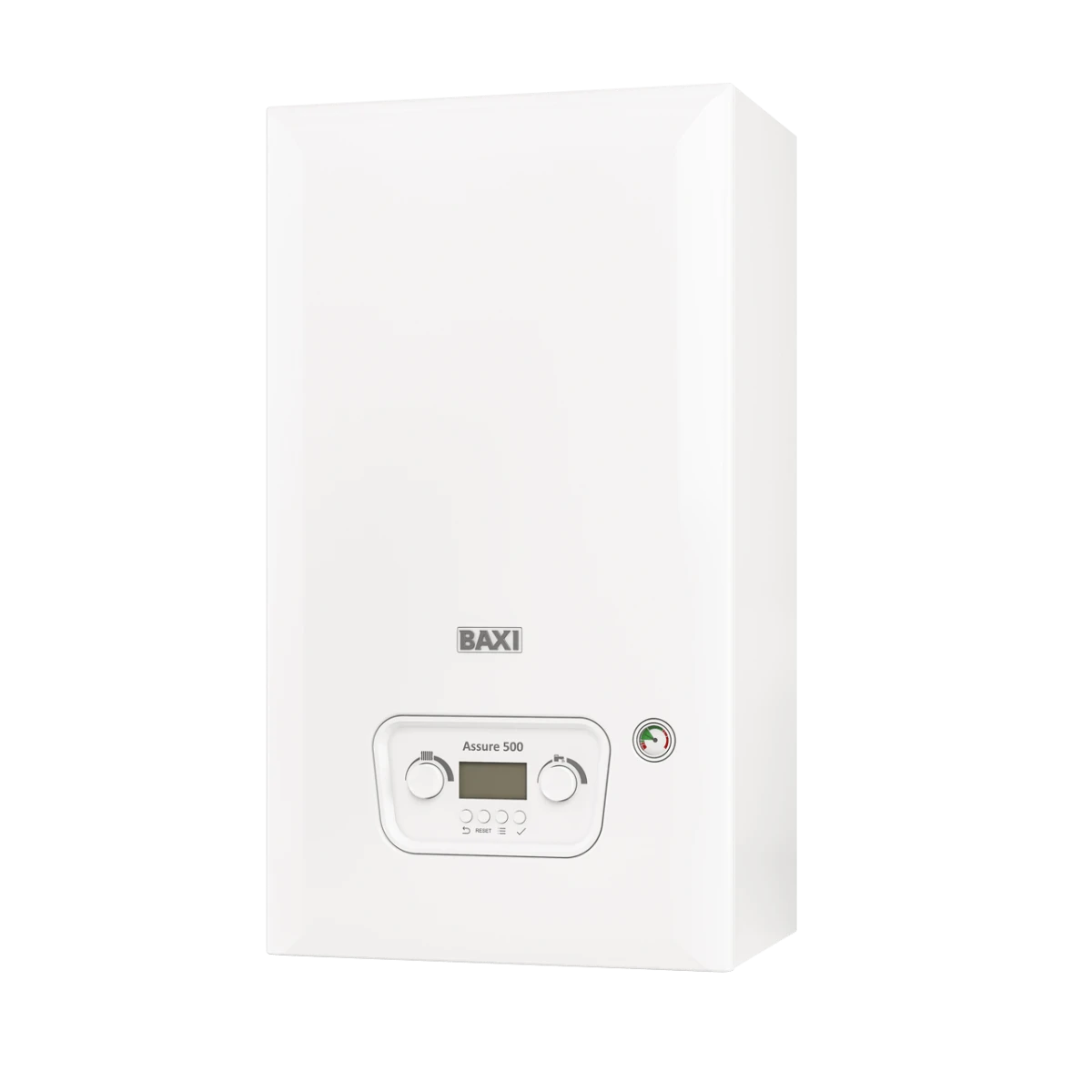
Where is the serial number on a Baxi boiler?
Behind the drop-down panel on the front, or on a tag that slides out from underneath. That is Baxi's own answer to homeowners, and it holds across the range because the serial is printed twice. It appears on the appliance data plate as the field marked s/n, and again on a user information label put somewhere it can be read without taking the case off. On the current Combi 2 boilers the installation manual also shows the boiler ID and serial next to the cable gland on the underside of the appliance. If you cannot find it at all, Baxi asks you to ring Customer Support and they will help you locate it.
What is a GC number?
A GC number is the Gas Council number, a seven digit appliance reference written in the form 00-000-00 and printed on the data plate. It names the exact appliance variant rather than the range on the front of the case, which is why Baxi lists them in the certifications table at the front of every installation manual with one number per output. A merchant or a parts catalogue asks for it because two boilers wearing the same badge can take different parts. It is also the one identifier a customer cannot garble over the phone.
Where is the data plate on each Baxi range?
It moves by range, so check the table before you start pulling panels off. Every row below is taken from Baxi's installation and service manual for that model. The pattern is that the newer Combi 2 platform puts the plate where you can see it with the case on, while the older Platinum, EcoBlue and Duo-tec ranges keep the badge behind the case and give the user a separate label carrying the same numbers.
| Range | Data plate | Serial number also shown |
|---|---|---|
| 800 Combi 2 (824-2, 830-2, 836-2) | Above the boiler controls | s/n field on the data plate, and boiler ID by the cable gland underneath |
| 800 System 2 (818-2, 824-2, 830-2) | On the top part of the boiler | s/n field on the data plate, and boiler ID by the cable gland underneath |
| 600 Combi 2 (624-2, 630-2, 636-2) | Above the boiler controls | s/n field on the data plate, plus the user information label |
| Assure 500 Combi 2 (524-2, 530-2, 536-2) | Above the boiler controls | s/n field on the data plate, and boiler ID by the cable gland underneath |
| 400 Combi 2 (424, 430) | On the top part of the boiler | s/n field on the data plate and on the service label |
| EcoBlue Advance Combi (24, 28, 33, 40) | Boiler lower panel, visible when the control box is lowered | Information label behind the boiler control flap |
| Duo-tec Compact Combi (25, 30, 36) | On the control box, visible with the outercase panel removed | Information label on the front middle underside of the outercase, swung gently forward |
| Platinum+ 40 Combi | Inner door panel, visible with the case front panel removed | Information label on the underside of the facia |
How do I register a Baxi boiler?
Register it with Baxi within 30 days of installation, and either the installer or the householder can do it. Baxi's warranty terms and conditions set that window and name both parties, and on a new build the 30 days runs from completion of the sale rather than the day the boiler went on the wall. Homeowners register through the My Baxi portal at warranty.baxi.co.uk or on the registration line, 0800 013 7989. Installers register through Baxi Works. Baxi asks for the boiler's serial number and the address and postcode where it is installed, so read the serial off the appliance before you start.
Read the serial off the boiler
Take it from the data plate or the user label, character for character. It is the field marked s/n.
Fix the installation date
The 30 days runs from the day the boiler was installed, and on a new build from the day the sale completed.
Complete the Benchmark checklist
Baxi's first warranty condition is that the installer is Gas Safe registered and fills in the Benchmark commissioning checklist in full at the time of installation. Without that the warranty is not valid at all.
Register inside the window
Homeowners use the My Baxi portal or the registration line. Installers use Baxi Works. Only one of you needs to do it, so agree who is doing it before you leave site.
Book the annual service
Baxi requires a service every year by a Gas Safe registered engineer, and allows it up to 60 days either side of the installation anniversary without invalidating the cover.
How do I check if a Baxi boiler is registered?
Sign in to the My Baxi portal at warranty.baxi.co.uk, which shows how long is left on the warranty and lets you view and download the warranty documents. The portal has a document search as well, if you want the certificate rather than the status. Two things trip people up here. Baxi's portal FAQ asks you to enter the serial number only and to leave out the security code its registration page shows alongside it, which is a common reason a lookup comes back empty. And when the boiler was fitted well over 30 days ago and nothing shows at all, the likely answer is that nobody registered it, in which case Baxi Customer Support is the place to confirm what cover survives with the serial number in front of you.
What does registering actually change?
It is the difference between the headline guarantee and twelve months. Baxi's warranty terms say that where the Benchmark, registration and annual service conditions are not met, the warranty is limited to 12 months from the date of installation as recorded on the Benchmark commissioning checklist. Meet them and the cover runs to whatever the range carries: Baxi advertises warranties of up to 10 years, and its 800 Combi 2 page states a 10 year parts and labour warranty on condition that the Adey Micro 2 filter is installed and registered at the same time as the boiler. Two limits are worth knowing before you promise anything on a customer's behalf. A repair carried out under the warranty does not extend it beyond the original period, and the cover is on the boiler and its integrated controls, not on time switches, thermostats, motorised valves or the rest of the system.
What can the Baxi serial number tell you?
The make, the model and the manufacture date, but only once Baxi reads it for you. Baxi says the serial number holds all the information needed for them to tell you when the boiler was made, and it publishes no digit by digit decode, so there is no honest way to work a build date out of the number on site. Record the serial exactly as found and ring Baxi Customer Support if the age is going to decide a warranty claim.
- What Baxi will give you from it: the make, the model and the date of manufacture.
- What you cannot do with it yourself: read a date out of the digits, because no public decode exists.
- A second route to an approximate age: Baxi's own age FAQ points at the industry product database at ncm-pcdb.org.uk, which returns the years a model was in production rather than the age of the boiler in front of you.
- A transcription trap: the security code that goes with the serial is not part of it, and Baxi's warranty FAQ asks you to leave it out when registering.
- Fault codes lean on it too: on the Combi 2 platform, A.02.55 means an incorrect or missing serial number stored on the control board.
What are the GC numbers for the current Baxi ranges?
Every output has its own, printed in the certifications table at the front of the installation manual. The rows below were read from Baxi's manuals for each range. Look at the two 824-2 rows and the point makes itself: the same model badge on a combi and on a system boiler carries a completely different appliance number, so the badge alone is not enough to order parts against.
| Model | Range | GC number |
|---|---|---|
| 824-2 | 800 Combi 2 | 47-077-63 |
| 830-2 | 800 Combi 2 | 47-077-64 |
| 836-2 | 800 Combi 2 | 47-077-65 |
| 818-2 | 800 System 2 | 41-470-99 |
| 824-2 | 800 System 2 | 41-884-09 |
| 830-2 | 800 System 2 | 41-884-08 |
| 624-2 | 600 Combi 2 | 47-077-55 |
| 630-2 | 600 Combi 2 | 47-077-56 |
| 636-2 | 600 Combi 2 | 47-077-57 |
| 524-2 | Assure 500 Combi 2 | 47-077-59 |
| 530-2 | Assure 500 Combi 2 | 47-077-60 |
| 536-2 | Assure 500 Combi 2 | 47-077-61 |
For the discontinued ranges still on plenty of walls, the same manuals give 47-077-14 to 47-077-17 across the EcoBlue Advance Combi 24, 28, 33 and 40, then 47-077-68 to 47-077-70 across the Duo-tec Compact Combi 25, 30 and 36, and 47 077 41 for the Platinum+ 40 Combi. Anything not listed here comes off the data plate rather than off a guess.
What to copy onto the record
- Make and model as written on the data plate, not as described by the customer.
- GC number in full, including the dashes, so the appliance variant is unambiguous.
- Serial number from the data plate or the user label, which is also what a warranty registration or a warranty check needs.
- Gas category and connection pressure, so the appliance can be checked against the supply on site.
- Anything that does not match the Benchmark book or the previous record, noted as found.
Only a Gas Safe registered engineer can service, size, install or certify a boiler. This is general guidance on where the identification data sits and what Baxi publishes about registration. Always work to the manufacturer's current instructions for the specific model in front of you, and to the warranty terms in force at the time of installation.
Baxi reference
Other makes
Whichever Baxi is on the wall, the record is the same job every time. Manifold builds the CP12 and service record from the check on your phone, reads the make, model and GC number off the data plate with PlateScan, and keeps the property's appliance history ready for the next visit.
See how Manifold helps
Frequently asked
Sources
- Baxi: Where can I find the serial number of my boiler?
- Baxi: How old is my boiler?
- Baxi: Which Baxi boiler do I have?
- Baxi: How to register your warranty and keep it valid
- Baxi boiler warranty terms and conditions (PDF)
- My Baxi warranty portal
- My Baxi portal: warranty FAQ
- Baxi Works: Baxi warranties
- Baxi 800 Combi 2 product page
- Baxi 800 Combi 2 installation and service manual (PDF)
- Baxi 800 System 2 installation and service manual (PDF)
- Baxi 600 Combi 2 installation and service manual (PDF)
- Baxi Assure 500 Combi 2 installation and service manual (PDF)
- Baxi 400 Combi 2 (424, 430) installation and service manual (PDF)
- Baxi EcoBlue Advance Combi installation and service manual (PDF)
- Baxi Duo-tec Compact Combi installation and service manual (PDF)
- Baxi Platinum+ 40 Combi installation and service manual (PDF)