Where is the GC number and data plate on a Worcester Bosch boiler?
By Jordan Valentine-Dunn, Gas Safe registered engineer · 20 July 2026 · Updated 6 September 2026
On a Worcester Bosch Greenstar the data badge carries the model, the GC number and the serial. On a 2000 or 4000 it sits centrally on the bottom of the boiler. On an 8000 it is on the frame of the front cover, and on a CDi, Si, Ri or i it is on the fascia.
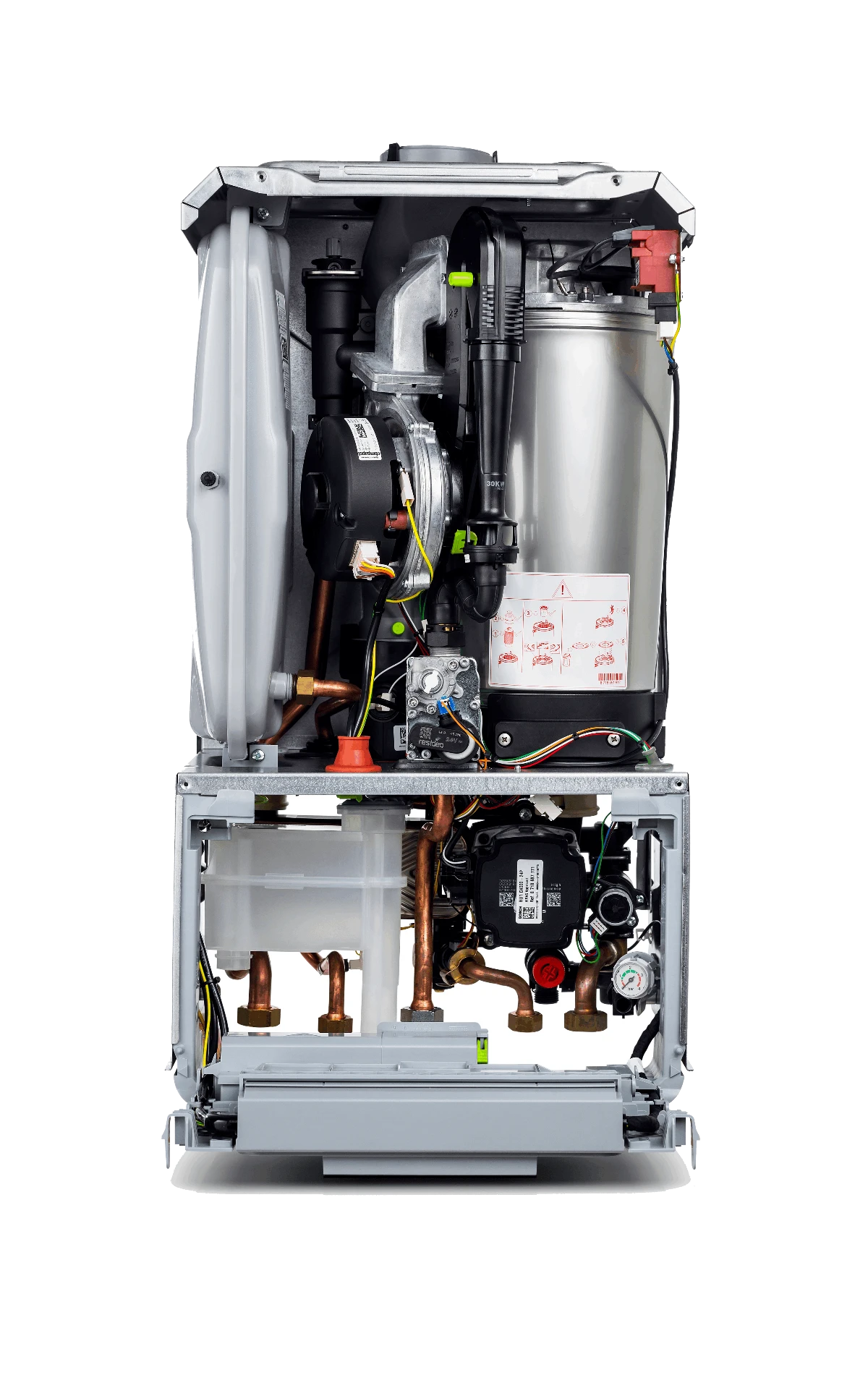
Where is the data plate on a Worcester Bosch boiler?
It moves between ranges, and Worcester states the position in each manual rather than leaving you to hunt. On the Greenstar 2000 and 4000 the data label is centrally on the bottom of the appliance, in line with the control panel. On the 8000 Life and 8000 Style it is on the frame of the front cover. On the CDi Classic, CDi Compact, Si Compact, i and Ri, Worcester calls it the appliance identification label and puts it on the fascia. Whichever range you are stood in front of, one badge carries the model, the serial and the GC number, so a single clear photo gives you everything the record needs.
| Range | Where the data badge sits | Serial and FD label | Notes |
|---|---|---|---|
| Greenstar 2000 (GR2300iW, GR2301iW) | Centrally on the bottom of the appliance, in line with the control panel | Same badge: it carries the appliance model and the serial number | A second, shorter type plate sits in an easily accessible place on the outside of the case |
| Greenstar 4000 (GR4700iW) | Centrally on the bottom of the appliance, in line with the control panel | Same badge | The additional type plate is on the underside of the appliance |
| Greenstar 8000 Life (GR8300iW) | On the frame of the front cover | Same badge | Worcester shows the position in Fig. 1 of the user instructions |
| Greenstar 8000 Style (GR8700iW) | On the frame of the front cover | Same badge | Same wording as the 8000 Life |
| Greenstar CDi Classic | On the boiler fascia | Same badge | Worcester calls it the boiler identification label |
| Greenstar CDi Compact | On the appliance fascia | Same badge | The GC number is on the label and on the front cover of the manual |
| Greenstar Si Compact | On the appliance fascia | Same badge | Same wording as the CDi Compact |
| Greenstar i (25i, 30i) | On the appliance fascia | Same badge | Item 12 in the control panel key: model, serial number and gas council number |
| Greenstar Ri | On the appliance fascia | Same badge | Regular boiler, same wording in the Ri ErP user instructions |
Worcester's own safety line is worth repeating on site. Never take screws out to go looking for a serial number, and do not go hunting for a data label on a boiler installed with restricted access or one that needs steps or a ladder to reach.
What is a GC number?
A GC number is the Gas Council number, the seven-digit code printed in three groups that identifies one exact appliance model. Worcester prints it on the data badge next to the model name, and repeats it either on the front cover of the installation manual or in the product information table near the front. It describes the model rather than the individual boiler, so every 30kW Greenstar 4000 combi on natural gas shares one GC number while each has its own serial. It goes in the appliance details on a gas safety record, which is why it pays to read it off the badge instead of working backwards from the range name.
Worcester Bosch GC numbers by model
These are the natural gas numbers as printed in Worcester's installation manuals. The Greenstar 4000 30kW combi, the one most people are looking for, is 47-800-32. Check the appliance type code on the badge against the middle column before you write anything down, because output and fuel both change the number.
| Model | Appliance type on the badge | GC number (natural gas) |
|---|---|---|
| Greenstar 2000 25kW combi | GR2301iW 25 C | 47-800-34 |
| Greenstar 2000 30kW combi | GR2301iW 30 C | 47-800-36 |
| Greenstar 4000 25kW combi | GR4700iW 25 C | 47-800-30 |
| Greenstar 4000 30kW combi | GR4700iW 30 C | 47-800-32 |
| Greenstar 4000 12kW system | GR4700iW 12 S | 41-800-07 |
| Greenstar 4000 15kW system | GR4700iW 15 S | 41-800-09 |
| Greenstar 4000 18kW system | GR4700iW 18 S | 41-800-11 |
| Greenstar 4000 21kW system | GR4700iW 21 S | 41-800-13 |
| Greenstar 4000 24kW system | GR4700iW 24 S | 41-800-15 |
| Greenstar 8000 Life 30kW combi | GR8300iW 30 C | 47-800-18 |
| Greenstar 8000 Life 35kW combi | GR8300iW 35 C | 47-800-17 |
| Greenstar 8000 Life 40kW combi | GR8300iW 40 C | 47-800-16 |
| Greenstar 8000 Life 45kW combi | GR8300iW 45 C | 47-800-15 |
| Greenstar 8000 Life 50kW combi | GR8300iW 50 C | 47-800-14 |
| Greenstar 8000 Style 30kW combi | GR8700iW 30 C | 47-800-03 |
| Greenstar 8000 Style 35kW combi | GR8700iW 35 C | 47-800-02 |
| Greenstar 8000 Style 40kW combi | GR8700iW 40 C | 47-800-01 |
| Greenstar 8000 Style 45kW combi | GR8700iW 45 C | 47-406-99 |
| Greenstar 8000 Style 50kW combi | GR8700iW 50 C | 47-406-98 |
| Model | GC number (natural gas) |
|---|---|
| Greenstar 25i ErP combi | 47-406-60 |
| Greenstar 30i ErP combi | 47-406-62 |
| Greenstar 25Si Compact ErP | 47-406-73 |
| Greenstar 30Si Compact ErP | 47-406-75 |
| Greenstar 28CDi Compact ErP | 47-406-77 |
| Greenstar 32CDi Compact ErP | 47-406-79 |
| Greenstar 36CDi Compact ErP | 47-406-81 |
| Greenstar 29CDi Classic ErP | 47-406-65 |
| Greenstar 34CDi Classic ErP | 47-406-67 |
| Greenstar 38CDi Classic ErP | 47-406-69 |
| Greenstar 42CDi Classic ErP | 47-406-71 |
| Greenstar 12Ri ErP | 41-406-41 |
| Greenstar 15Ri ErP | 41-406-43 |
| Greenstar 18Ri ErP | 41-406-45 |
| Greenstar 24Ri ErP | 41-406-47 |
| Greenstar 27Ri Compact ErP | 41-406-54 |
| Greenstar 30Ri Compact ErP | 41-406-56 |
LPG versions carry their own number in the same table: a 30kW Greenstar 4000 combi on LPG is 47-800-33, not 47-800-32. The 8000 Style also comes in CB variants with a separate set of numbers. For anything not listed here, open Worcester's literature library, download the installation manual for that range, and read the appliance table in the product information section on the newer ranges, or the panel on the front cover on the CDi, Si, Ri and i. Worcester prints the appliance type, the part number and the Gas Council number side by side, so you can match the code on your badge exactly.
How old is my Worcester Bosch boiler?
Read the FD number out of the serial. Worcester codes the manufacture date into three digits it calls the FD number, and where those digits sit depends on when the badge was printed. Worcester publishes the rule rather than a year-by-year age chart, so the two tables below set that rule out digit by digit, using Worcester's own example serials.
| Badge style | Where the FD number sits | Worcester's example |
|---|---|---|
| Data badge printed before July 2010 | Inside the long serial number: the 11th, 12th and 13th digits | 7716130155 6842205631, so the FD digits are 684 |
| Data badge printed from July 2010 | In its own short block on the badge, separate from the long serial | 5570 006 000334 7716130137, so the FD digits are 006 |
| Digit | What it means | Example FD 684 | Example FD 006 |
|---|---|---|---|
| First | The year, as its last digit. Greenstar production started in 2005, so count forward from there. | 6, so 2006 | 0, so 2010 |
| Second | Worcester does not say. Leave it out of the date. | 8 | 0 |
| Third | The month, numbered from 1 for January. | 4, so April | 6, so June |
Pre July 2010 badge: 7716130155 6842205631
Run the two blocks together and count to the 11th, 12th and 13th digits, which gives 684. The 6 is the year and the 4 is the month, so that boiler was built in April 2006. Worcester gives this exact serial as its own example.
Post July 2010 badge: 5570 006 000334 7716130137
Here the FD has a block of its own, 006. The 0 is the year and the 6 is the month, and Worcester states the answer for this serial as June 2010. Same rule, different place on the badge.
One digit for the year means it repeats every ten years, so an FD starting 6 could be 2006 or 2016. Use the range to place the decade: Worcester's literature pages list the manufacture dates each version of a manual covers, and a Greenstar 4000 badge cannot be from 2006 because the range did not exist then. Worcester's published examples only cover months 1 to 9, and the page does not explain how October to December are written, so if the digit will not give you a sensible month, ring Worcester's technical line with the full serial rather than guessing.
How do I check a Worcester Bosch serial number?
Put the whole serial into Worcester's guarantee checker and it returns the guarantee expiry date. The page asks for the 23 digit serial number and nothing else: no install date, no postcode, no account. Worcester is clear that the date only holds if the boiler has been serviced every year since it was installed, so treat what comes back as the entitlement rather than a promise. A MyBosch account shows the same guarantee length alongside the certificate, the product name and the serial.
Worked example, using Worcester's own published serial. 5570 006 000334 7716130137 comes to 23 digits, which is the length the checker asks for. Its FD block is 006, so the year digit is 0 and the month digit is 6, giving June 2010. Feed the full string to the checker and you get the guarantee position on top of the age, which between them tell you whether a repair is chargeable before you quote for it.
Why the data plate matters on a CP12
Because the appliance details on a gas safety record should describe the unit on the wall, not a best guess at it. Make, model and GC number all come off the badge, and getting them right means the record still matches the appliance when a letting agent, an inspector or the next engineer checks it. It also keeps the history usable: the right model pulls the right manual and the right spares, and the serial pins down which boiler you actually worked on.
- Find the badge where Worcester puts it for that range, rather than searching the whole case.
- Read the GC number off the badge for the appliance details, and check it against the appliance type code.
- Read the serial for the true manufacture date, using the FD rule for the badge style in front of you.
- Photograph the whole badge, so the record can be checked against the appliance later.
- Pull the installation manual for that model if the badge is painted over, faded or unreadable.
Only a Gas Safe registered engineer can inspect, service and certify a gas appliance. This is general guidance on where the data lives, not a substitute for the manufacturer's manual or your own on-site judgement.
Boiler reference
Other makes
Reading the badge is the fiddly bit of every CP12, and it is where a mistyped model or GC number slips in. Manifold's PlateScan reads the make, model and GC number straight off the data plate with your phone camera, drops them into the record, and keeps the appliance history for the property so the next visit starts from the right unit.
See how Manifold helps
Frequently asked
Sources
- Worcester Bosch: Where can I find the FD (serial) number on a Greenstar boiler?
- Worcester Bosch: Check your guarantee length
- Worcester Bosch literature library
- Greenstar 2000 installation and maintenance instructions (6721839340)
- Greenstar 2000 user instructions (6721820553)
- Greenstar 4000 combi installation manual (6720891161)
- Greenstar 4000 system installation manual (6720891162)
- Greenstar 4000 user instructions (6720891170)
- Greenstar 8000 Life combi installation manual (6720883865)
- Greenstar 8000 Life combi user instructions (6720883872)
- Greenstar 8000 Style combi installation manual (6720883864)
- Greenstar 8000 Style combi user instructions (6720883871)
- Greenstar CDi Classic combi installation and servicing instructions (6720815725)
- Greenstar CDi Classic user instructions (6720815728)
- Greenstar CDi Compact combi installation and servicing instructions (6720813276)
- Greenstar CDi Compact user instructions (6720813277)
- Greenstar Si Compact installation and servicing instructions (6720813278)
- Greenstar Si Compact user instructions (6720813279)
- Greenstar i ErP installation, commissioning and servicing instructions (6720806944)
- Greenstar i ErP user instructions (6720806946)
- Greenstar Ri ErP installation, commissioning and servicing instructions (6720813283)
- Greenstar Ri Compact ErP installation and servicing instructions (6720813282)
- Greenstar Ri ErP user instructions (6720813340)